3D Bowling
Italic GamesSports
4.785.48K Reviews
- Version
- 4.3
- Installs
- 100.00M
- Age Rating
- Everyone
Screenshots
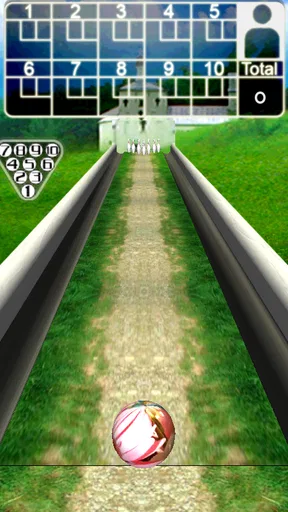
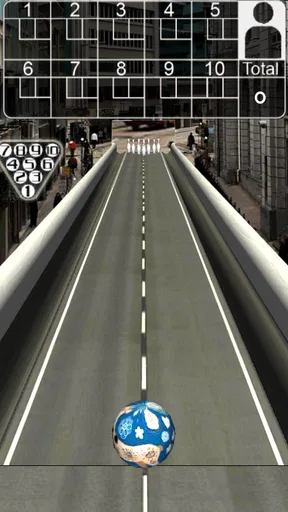
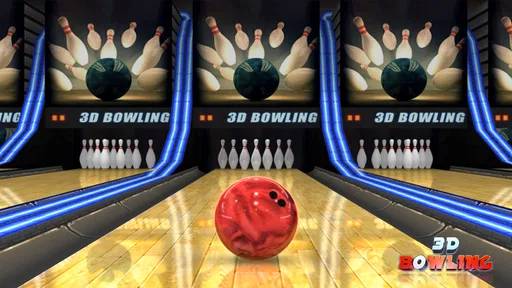
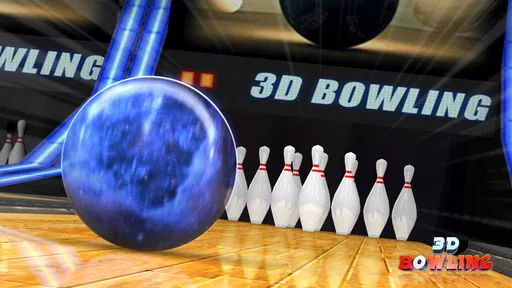
Our Review of 3D Bowling
 Analysis by Appyee
I find 3D Bowling works best when I treat it as a quick, focused game rather than a full substitute for a night at the lanes. A round is easy to start, and the familiar swipe-to-roll control means I can understand the basics without working through a long tutorial. The main adjustment is learning how your device responds: a small change in swipe direction or tilt can alter a shot, so early misses are often part of getting a feel for the controls rather than a sign that the game is hard to understand.
Where a good roll can go wrong
The most common point of friction is consistency. A shot that looks similar to the last one may not land exactly the same way, especially while you are still figuring out how much force and direction to use. I recommend starting with straight, controlled swipes before experimenting with spin. That gives you a clearer baseline; once you can repeat a basic shot, tilting the device becomes a deliberate choice instead of one more variable to guess at.
Device handling matters, too. If you play while holding your phone at an awkward angle, it is harder to make a repeatable tilt. I get better results when I sit down, hold the phone comfortably, and avoid changing my grip halfway through a frame. This is a small practical detail, but it helps separate a genuine aiming mistake from an accidental movement of the device.
A calmer setup makes practice more useful
Because the controls combine a swipe with optional tilt, it helps to give yourself a few unhurried turns before judging the game. Keep your grip steady, use a similar starting position for each swipe, and change one thing at a time. If you alter both your aim and tilt after every miss, it is difficult to tell which adjustment helped. I find that treating each roll as a small experiment makes practice less frustrating and makes improvement easier to notice.
The game is free, and its Everyone age rating makes it an approachable option for a broad range of players. It comes from Italic Games, with version 4.3 and Android 5.0 as the listed minimum operating-system requirement. Those details are useful when checking whether it is a sensible fit for your device, but a compatible phone alone cannot guarantee that every control will feel equally comfortable: screen size, grip, and personal preference still matter.
When a session does not go as planned
If a roll seems unusually unreliable, I would first pause and reset my grip rather than immediately changing several settings or blaming the game. Try a few straightforward shots, then add tilt only after the swipe itself feels repeatable. If the game has been interrupted, returning to a fresh round can also be a cleaner way to practise than trying to make sense of a sequence of rushed attempts. The useful habit is to change one part of your approach at a time.
For multiplayer, I would separate connection-related frustration from bowling skill. A result against another player can feel less predictable than a solo practice session, so it is worth getting comfortable with the controls before treating a competitive match as a test of your ability. If a match does not feel smooth, a solo game is a practical way to focus on aiming without the added pressure of comparing scores.
When the phone is not the problem
Not every disappointing session means the controls are failing. Bowling has an element of repetition and fine adjustment, and a casual mobile version cannot reproduce the feel of standing at a physical lane with a real ball. If what you want is exercise, social time in person, or the tactile weight and release of actual bowling, a phone game will not fill that role. I see this as a compact way to enjoy the basic rhythm of aiming and rolling, not a replacement for the real activity.
Who will enjoy it most
This is a good match for someone who likes simple sports games, wants a short activity between tasks, or enjoys trying to improve a score through repetition. It also suits people who would rather learn a small set of controls than manage a complicated sports simulation. I would be more cautious if you want deep team management, a detailed career, realistic physical technique, or constant new objectives; those are different kinds of appeal, and this game’s strength is the immediate bowling action.
Compared with a general arcade game, the appeal here is more focused: you return to the same basic task and try to make each roll more accurate. Compared with bowling games built around elaborate progression or a broader collection of sports, it is easier to dip into but may feel limited if you need a long-term campaign. That trade-off is useful to know before installing: it is built for quick rounds and personal improvement, not a sprawling sports package.
A useful everyday routine
For a realistic break, I might play one quick round while waiting for a drink or winding down after a task. I would begin with a couple of straight swipes to settle into the controls, then try a small tilt adjustment only if I have a clear reason. If a frame goes badly, I would avoid chasing it with increasingly dramatic movements; returning to a familiar, controlled release is often a better way to learn than changing everything at once.
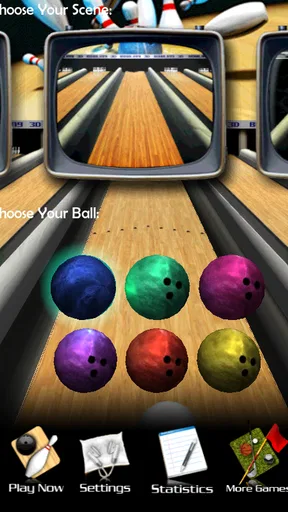
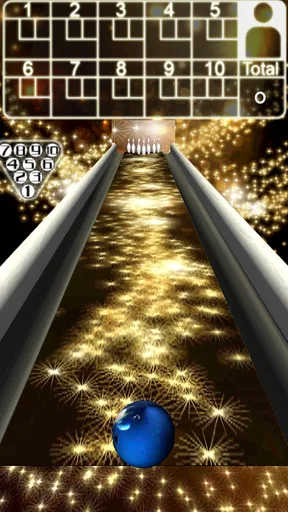
The different lane looks and ball designs give you a way to vary the presentation, but I would not expect cosmetic changes to solve a control problem or transform the core challenge. If you enjoy the basic bowling loop, that variety can make another short session feel a little less samey. If you need each new round to introduce a different objective or strategy, visual changes alone may not be enough.
Rolling Into the Game
The first thing you notice when you fire up 3D Bowling is the straightforward interface. It’s like walking into your local bowling alley—no frills, just lanes and pins waiting to be knocked down. You don’t get bombarded with flashy graphics or overwhelming menus, which is refreshing. The app’s focus is clearly on getting you into the game as quickly as possible.
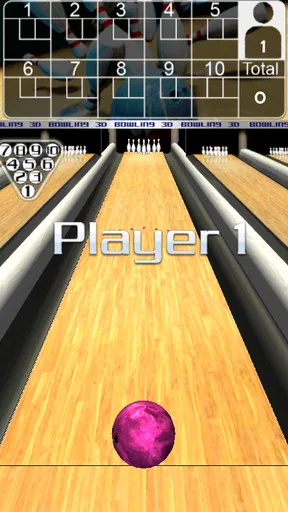
Once you start a game, the controls are intuitive. You swipe to roll the ball down the lane, and you can add spin by tilting your device. It’s simple enough, but mastering the curve takes a bit of practice. And let me tell you, there’s something satisfying about nailing that perfect strike after a couple of gutter balls!
Visuals and Soundtrack
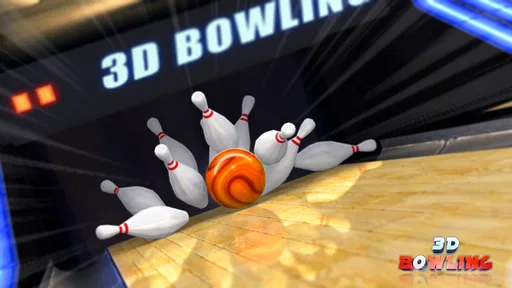
Alright, let’s talk about the visuals. The game isn’t exactly pushing the boundaries of mobile graphics, but it does have a certain charm. The lanes are neatly rendered, and the physics are surprisingly realistic. Each roll feels just right, and the sound of the pins crashing is on point. It’s not the latest blockbuster game, but it doesn’t need to be. It’s all about that classic bowling feel.
The soundtrack, on the other hand, is pretty minimal. You’ve got the sound of the ball rolling and pins clattering, but not much else. It’s like being in a real bowling alley without the chatter. Depending on your mood, this can be either a plus or a minus. Personally, I found it relaxing.
Game Modes and Features
3D Bowling offers a handful of different lanes to keep things interesting, from traditional wooden lanes to funky neon alleys. It’s a nice touch that keeps the game from getting stale too quickly. Plus, you can switch up your ball design, which doesn’t affect gameplay but adds a bit of personal flair.
There’s also a multiplayer mode where you can challenge friends or players from around the world. It’s a blast to see how you stack up against other virtual bowlers. Just be prepared—there are some seriously skilled players out there!
Getting Hooked
What really keeps you coming back is the challenge of perfecting your game. It’s easy to pick up but tough to master, which is exactly what you want in a mobile game. Each game lasts just a few minutes, making it perfect for quick breaks or longer sessions if you’re in the zone.
There’s something inherently addictive about trying to beat your own score or climb the leaderboard. And with the multiplayer feature, the competitive angle adds an extra layer of fun. You’ll find yourself saying, “Just one more game,” more times than you’d like to admit!
Final Thoughts
So, is 3D Bowling worth the download? If you’re a fan of bowling or just looking for a casual game to pass the time, absolutely. It’s not going to win any awards for innovation, but it delivers exactly what it promises—a solid bowling experience that fits right in your pocket.
Whether you’re a seasoned pro or a complete newbie, this app offers a satisfying challenge and a fun way to unwind. So, why not give it a roll? You might just find yourself hooked on the virtual lanes!
How I would decide before downloading
The scale of its audience suggests this simple format has broad appeal: it has a 4.7 average from around 1.2 million ratings, and over 100 million installs. Those figures are a useful sign that many people have tried it, though they cannot tell you whether its swipe-and-tilt controls suit your hands or whether its restrained presentation is your style. I would use them as context, not as a promise that every session will feel perfect.
Since it is free, trying a few rounds is an easy way to answer the most important question: does repeating the same basic bowling task feel satisfying to you? The game has been around since June 7, 2011, and its current version is 4.3. For me, that long-running, focused identity is part of the appeal, but anyone expecting a newly invented take on mobile sports games should set expectations accordingly.
Picking the right kind of competition
Solo play is the better choice when you are learning the timing and want to make your own adjustments without worrying about another player. Multiplayer is more appealing once you are comfortable enough to enjoy comparing results. I would not use one competitive match as the only measure of whether I like the game: a short run of poor shots can come from unfamiliar controls, and a strong opponent can make a casual game feel more serious than intended.
If you are choosing between this and a full bowling simulator, think about what you want from the activity. This one is easier to approach for a spare moment and keeps attention on the lane, while a more elaborate alternative may suit you better if you want longer progression, deeper customisation, or a broader set of modes. I prefer the lighter option when I want to play immediately, but that simplicity is also its main ceiling.
Small habits that make rounds better
I get more out of the game when I treat a frame as practice rather than a demand for a perfect score. Notice whether a miss came from a rushed swipe, an inconsistent starting angle, or a tilt that was too strong, then make just one correction on the next roll. This is more useful than changing aim, grip, and spin together, because you can actually tell whether your adjustment made a difference.
Another practical choice is deciding in advance whether you want a quiet solo break or a competitive session. The subdued soundscape works well if you want something low-key, while the multiplayer option adds pressure and comparison. If you are in a noisy place or do not want audio, the core action is still easy to follow visually; if the sound of rolling and pins is part of the enjoyment for you, playing somewhere quiet makes that simple presentation more noticeable.
What its popularity does—and does not—mean
The game has 86,000 reviews, which gives prospective players plenty of public feedback to browse alongside its large rating base. I would still focus on comments that describe the parts you care about—controls, pace, or the kind of competition—rather than assuming that a high score settles every personal preference. A casual bowling game can be a strong fit for one person and too repetitive for another, even when both understand exactly what it offers.
My practical verdict is that this remains an easy recommendation for a quick bowling fix, especially if you enjoy improving through repeated attempts. I would skip it if your priority is a deep sports career, lifelike physical play, or a constant stream of new activities. For everyone else, a few careful rounds are enough to see whether the simple lane, swipe, and tilt loop makes you want to keep playing.
Privacy and Permissions
See what permissions an app requests and how it handles your data.
- Wi-Fi connection information
- view Wi-Fi connections
- Other
- view network connections, full network access, prevent device from sleeping
Verdict
Strengths of 3D Bowling
- Realistic physics enhance gameplay experience.
- Wide variety of bowling alleys to choose from.
- Smooth and intuitive controls for all players.
- Offline mode available for uninterrupted play.
- Customizable bowling balls add personal touch.
Limitations of 3D Bowling
- Graphics could be improved for higher devices.
- Limited multiplayer options reduce social play.
- Ads can be intrusive during gameplay.
- Lack of frequent updates and new features.
- Sound effects can become repetitive over time.
Other Releases by Italic Games
View All
Word Search
Word4.8

Dominoes - Classic Domino Game
Board4.9
Similar Picks in This Category
View All
8 Ball Pool
Miniclip.com4.8

Pooking - Billiards City
AIM TOP GAME TECHNOLOGY LIMITED - pool4.6

Carrom Pool: Disc Game
Miniclip.com4.4

EA SPORTS FC Soccer Mobile 26
ELECTRONIC ARTS4.6

World Soccer League
mobirix4.3

Soccer Cup 2026: Football Game
INLOGIC SPORTS - football tennis golf soccer4.3
Frequently Asked Questions
What are the primary features of 3D Bowling?
3D Bowling offers realistic 3D graphics that simulate a true bowling experience. It includes multiple bowling alleys and a variety of bowling balls, each with unique attributes. The game also features different modes of play and challenging levels that keep users engaged. With intuitive controls, it’s easy for both beginners and seasoned players to enjoy.
Is 3D Bowling free to download and play?
Yes, 3D Bowling is free to download and play. However, it may contain in-app purchases that allow players to buy additional features or remove ads. While these purchases can enhance gameplay, they are not mandatory for playing the game. Most features can be accessed without spending any money.
Does 3D Bowling require an internet connection?
3D Bowling can be played offline, which means you do not need an internet connection to enjoy the game. However, certain features, such as updates or in-app purchases, will require an internet connection. Offline capability makes it a great option for playing while traveling or in areas with limited connectivity.
What devices are compatible with 3D Bowling?
3D Bowling is available for both Android and iOS devices. It is compatible with most smartphones and tablets running on these operating systems. To ensure optimal performance, it is recommended to have the latest version of the operating system and sufficient storage space on your device.
Are there any ads in 3D Bowling?
Yes, 3D Bowling includes advertisements, which is common in free-to-play games. These ads help support the developers. If you prefer an ad-free experience, some versions of the game offer the option to remove ads through an in-app purchase. This can enhance your gameplay by providing an uninterrupted experience.
Play our best games!


